Gradle Project Setup
This guide covers setup and local usage for Arda’s Gradle-based component projects.
Prerequisites
Section titled “Prerequisites”Install a recent version of git. Consider also installing gh, the GitHub CLI tool.
Install JVM 21 (Arda uses AWS Corretto). On a Mac, verify with java --version. Use JAVA_HOME or sdkman to manage the active version.
Docker
Section titled “Docker”Install and launch Docker Desktop. Enable the Kubernetes cluster if local deployment using Helm is desired.
1Password
Section titled “1Password”Install the 1Password CLI.
Artifact Repository Credentials
Section titled “Artifact Repository Credentials”Warning: Mind the token expiry date. Gradle builds will fail after expiry and the token will need to be renewed.
-
Create a GitHub personal access token (classic) with the single scope
read:package. -
Create
~/.gradle/gradle.properties:gpr.user=<github-handle>gpr.key=<github-token> -
Create a 1Password note named
GH_OCI_ROwith the password set to your GitHub handle, a colon:, and a PAT with read access to the GitHub Docker registry.
Local Usage
Section titled “Local Usage”| Command | Effect |
|---|---|
./gradlew clean | Clean all generated artifacts |
./gradlew build | Validate, build, and test all artifacts |
./gradlew helmRender | Render Helm templates for all defined purposes |
Deploy to Local Kubernetes Cluster
Section titled “Deploy to Local Kubernetes Cluster”op run --env-file 1Password.env -- ./gradlew helmInstallToLocal
echo "Application port:"kubectl --context docker-desktop get service application-exposed-port \ --namespace=accounts \ --output=jsonpath='{.spec.ports[0].nodePort}{"\n"}'
echo "Postgres port:"kubectl --context docker-desktop get service postgres-exposed-port \ --namespace=accounts \ --output=jsonpath='{.spec.ports[0].nodePort}{"\n"}'Every push to origin triggers a build.
When the build runs on a protected branch (or a branch with a feature version), versioned artifacts are published and a deployment to the first purpose (dev) is triggered. Subsequent purpose deployments follow automatically unless gated.
Workflow Overview
Section titled “Workflow Overview”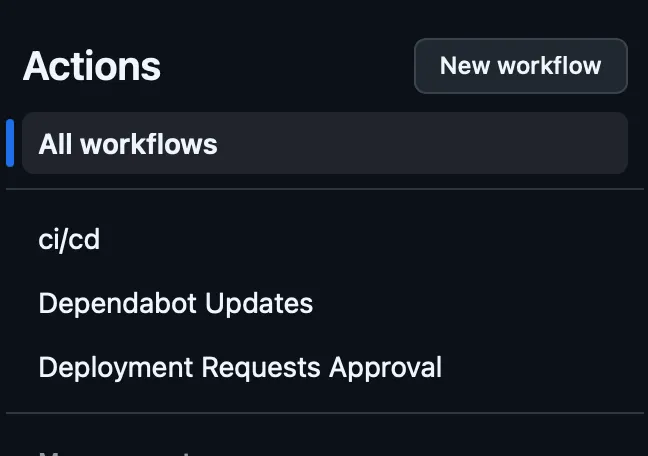
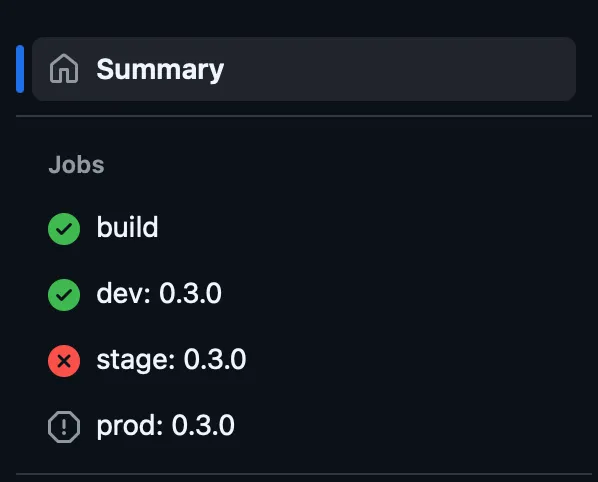
The version annotation appears in the workflow summary:
Approving a Gated Deployment
Section titled “Approving a Gated Deployment”Deployments to stage and prod are gated. To open the gate:
- Navigate to GitHub Actions for the repository.
- Find and run the workflow Deployment Requests Approval.
- Provide the chart version (visible in the failed deployment’s summary or annotations).
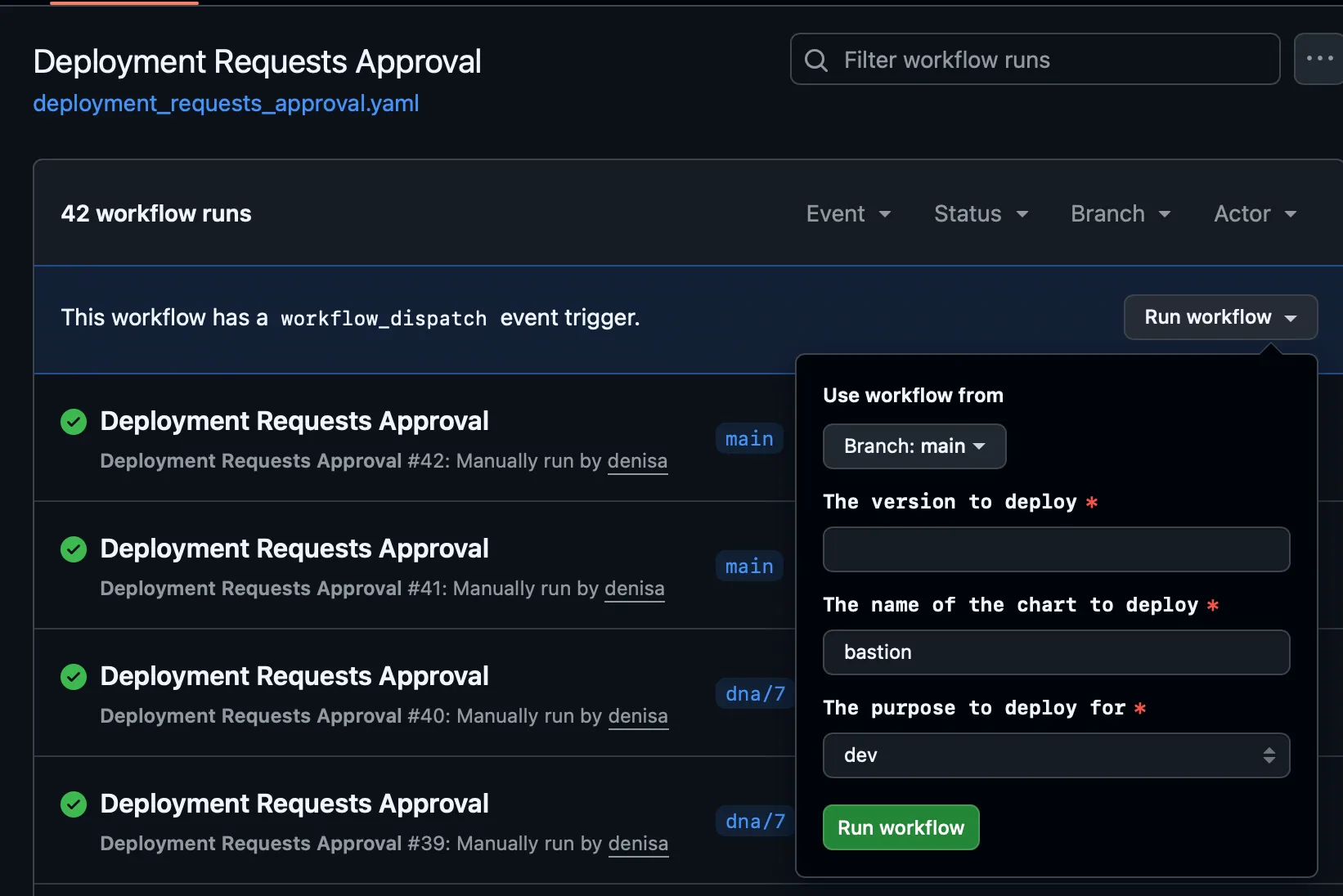

Alternatively, trigger from the command line:
gh workflow run "Deployment Requests Approval" \ --ref main \ -f chart_version=0.6.0 \ -f purpose=stageThe artifact version is the topmost version defined in CHANGELOG.md, qualified with the CI run ID, number, and attempt for feature branch builds.
Copyright: © Arda Systems 2025-2026, All rights reserved